Connect storage to a wider energy strategy

AlphaESS UK works with selected energy integration partners to help compatible systems respond to tariffs, site demand, generation and approved energy services. The available features depend on the product, software, connection and partner agreement.
AlphaESS emblem

Choose the right inverter for your system

The appropriate inverter depends on more than headline power output. Your property supply, solar array, battery configuration, expected loads, network requirements and backup priorities must be assessed together.

An authorised AlphaESS installer will match the inverter and compatible equipment to the complete system design.

SMILE-G3-S3.6 and S5

Single-phase hybrid inverter options for homes requiring 3.68 kW or 5 kW nominal output. Suitable configurations can combine solar, modular G3 batteries, monitoring and an approved backup arrangement.

SMILE-G3-S8

An 8 kW single-phase option developed for homes with higher power requirements. System capacity, grid connection and backup design must be checked for the property.

SMILE-G3-T10 and T20

Three-phase hybrid inverter options for larger homes and projects requiring 10 kW or 20 kW nominal output. Battery configuration and available power depend on the complete approved system design.

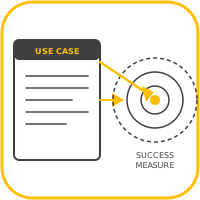
01

Confirm the exact AlphaESS model and firmware.

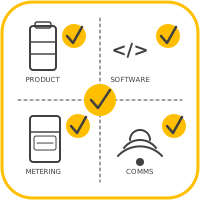
02

Confirm the meter, communications and network requirements.

03

Confirm the tariff, platform or service is currently available.

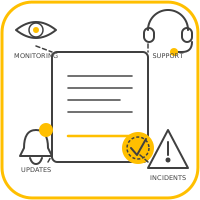
04

Confirm who configures, operates and supports the connection.

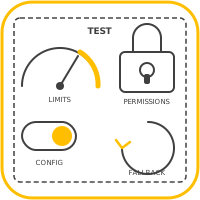
05

Confirm data permissions, commercial terms and fallback behaviour.

Hybrid Inverter

At the centre of the SMILE G3 system, the hybrid inverter manages compatible solar generation, battery charging and discharging, household demand, grid exchange and backup functions.

The selected model determines phase, output, solar input and system compatibility. Efficiency, switching performance and backup capability vary by model and configuration, so technical figures should be presented only against the relevant product datasheet.

What the inverter manages

The inverter coordinates how electricity moves between compatible solar panels, the battery, your home and the grid. Its operating strategy is configured around the installed system, electricity tariff and household priorities.
Solar use
Direct available solar generation to household demand, battery charging or export according to the configured operating strategy.
Battery control
Manage compatible battery charging and discharging within product and installation limits.
Tariff response
Support time-based and compatible dynamic-tariff strategies so energy can be stored at more appropriate times.
Backup coordination
Work with the approved backup configuration to supply selected or wider household loads during a grid interruption.
SOLAR AND SYSTEM DESIGN

Make more informed use of solar generation

SMILE G3 inverter options support multiple MPPT inputs and model-specific PV oversizing. This can give system designers more flexibility around array orientation, generation patterns and household demand.

These figures are design limits, not a promise of energy yield. Array size, connection approval, export limits, orientation, shading, battery capacity and the selected inverter must be assessed together.

Control, safety and installation

Connected Control

Use AlphaCloud and the AlphaESS App to view energy flows, generation, demand and battery behaviour, subject to the features available for the selected system and account.

Layered system protection

The inverter works within a wider protection architecture that includes electrical protection, battery management, monitoring, alarms and installer-led commissioning. Safety evidence must always be presented for the applicable model.

Specified and installed by an approved partner

AlphaESS residential systems are not bought directly from this website. An approved installer will survey the property, confirm compatibility, complete the design and provide a quotation.

Choose the right foundation for your home energy system

The inverter, battery, solar array, backup arrangement and household demand must be considered as one system. An authorised AlphaESS installer can assess your requirements and recommend a compatible design.
FAQs
How does home battery storage work?
A home battery stores electricity for use when you need it. It can store surplus energy generated by solar panels or electricity taken from the grid during lower-cost periods. The stored energy can then power your home when electricity prices are higher, when solar generation is low or, with the appropriate backup equipment, during a power cut.
Do I need solar panels to install a home battery?
No. A home battery can be installed with or without solar panels. A standalone battery can charge from the grid, allowing you to make greater use of lower-cost electricity tariffs. When combined with solar panels, it can store surplus solar energy that might otherwise be exported to the grid.
Can battery storage be added to an existing solar system?
In many cases, yes. The most suitable arrangement will depend on your existing solar system, inverter, electricity usage and the battery being installed. An approved installer can assess your current setup and recommend a compatible solution.
What size home battery do I need?
The right battery capacity depends on how much electricity your household uses, when you use it, whether you have solar panels and what you want the system to achieve. Your installer should review your electricity consumption and future requirements, including electric vehicle charging or heat pump use, before recommending a system.
Will my battery power my home during a power cut?

Yes. AlphaESS offers a Backup Gateway that can keep your home powered if the electricity supply is interrupted. The available backup time will depend on your battery’s charge level, capacity and household electricity use. Your AlphaESS installer can recommend the appropriate system configuration for your home.

Will my battery power my home during a power cut?

Yes. AlphaESS offers a Backup Gateway that can keep your home powered if the electricity supply is interrupted. The available backup time will depend on your battery’s charge level, capacity and household electricity use. Your AlphaESS installer can recommend the appropriate system configuration for your home.

Will my battery power my home during a power cut?

Yes. AlphaESS offers a Backup Gateway that can keep your home powered if the electricity supply is interrupted. The available backup time will depend on your battery’s charge level, capacity and household electricity use. Your AlphaESS installer can recommend the appropriate system configuration for your home.

Will my battery power my home during a power cut?

Yes. AlphaESS offers a Backup Gateway that can keep your home powered if the electricity supply is interrupted. The available backup time will depend on your battery’s charge level, capacity and household electricity use. Your AlphaESS installer can recommend the appropriate system configuration for your home.

Will my battery power my home during a power cut?

Yes. AlphaESS offers a Backup Gateway that can keep your home powered if the electricity supply is interrupted. The available backup time will depend on your battery’s charge level, capacity and household electricity use. Your AlphaESS installer can recommend the appropriate system configuration for your home.

Is home battery storage safe?

Home battery systems are designed with multiple layers of protection, including battery monitoring and safety controls. Safe performance also depends on correct product selection, positioning, installation and commissioning. Always use an appropriately qualified installer and follow the manufacturer’s operating and maintenance guidance.

Find an authorised installer

All AlphaESS UK Authorised Installers are trained and certified to carry installations across our product range. You can search for an installer who covers where you live and receive quotations based on your system requirements.
Find an installer location pin